

Admin
Term report cards, rank and letterhead
- 1
Tag exams with a term
When you create an exam, pick its term (Term 1–4). You can change it later on the exam's edit page.
- 2
Generate a term card
On Report cards → Generate, choose the term as what the card covers. A Term 1 card, a Term 2 card and the annual card can sit side by side, and the list shows which is which.
- 3
Set up the layout
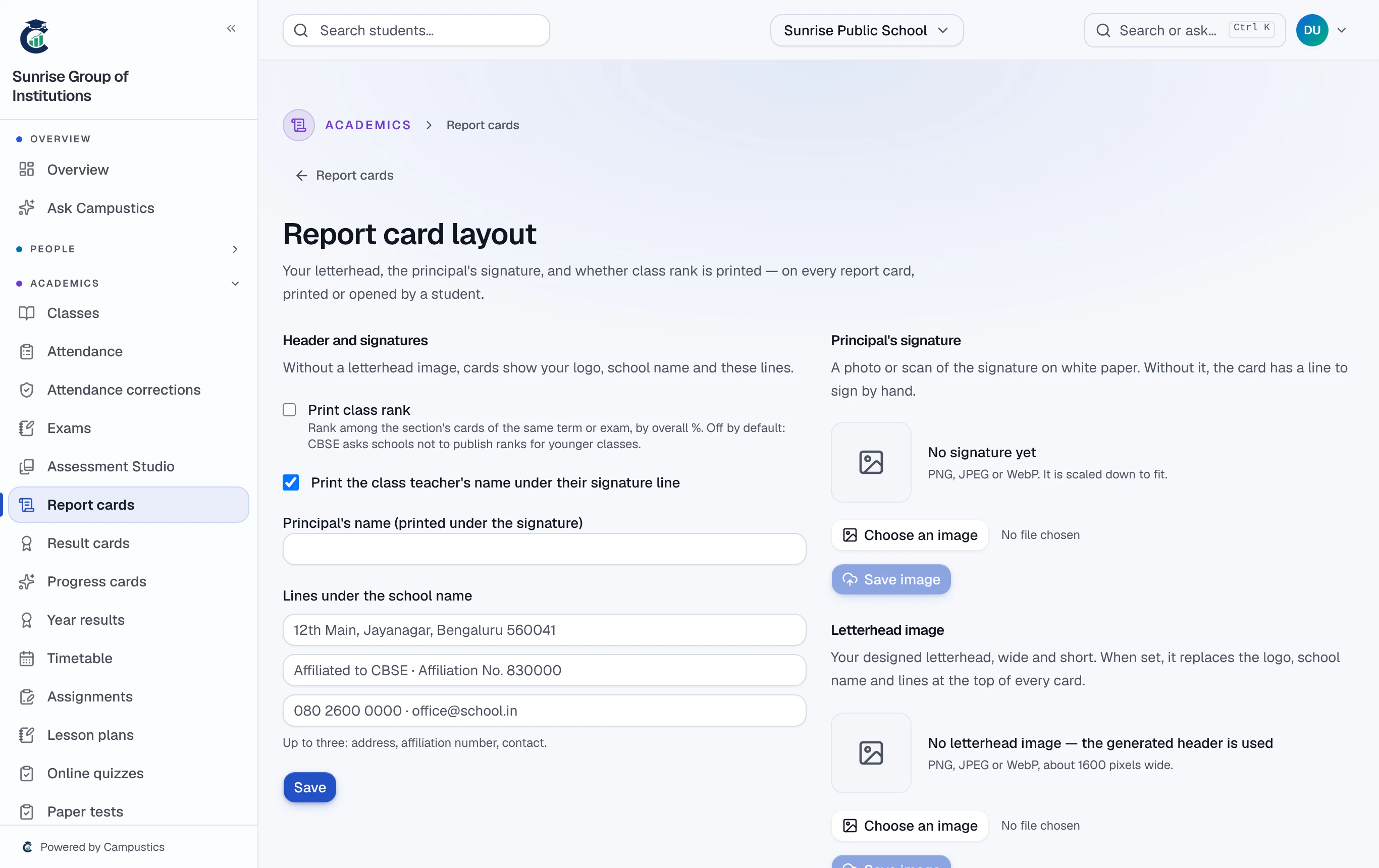
Report cards → Report card layout: your letterhead (a designed image, or your logo and school name with up to three lines), the principal's signature with their name, and the class teacher's name. Every card shows it — printed, saved as PDF or opened by a parent.
- 4
Class rank
Rank is each card's position in its section among cards of the same term or exam, by overall percentage ("3 of 42"). Turn it on in the layout to print it.
It stays off on printed cards until you turn it on — CBSE asks schools not to publish ranks for younger classes. Staff always see it on the card's page.