

Admin
Set up departments
Group staff and subjects into departments — Science, Mathematics, Languages — each with a head. Works for schools, PU and degree colleges.
4 min
- 1
Add a department
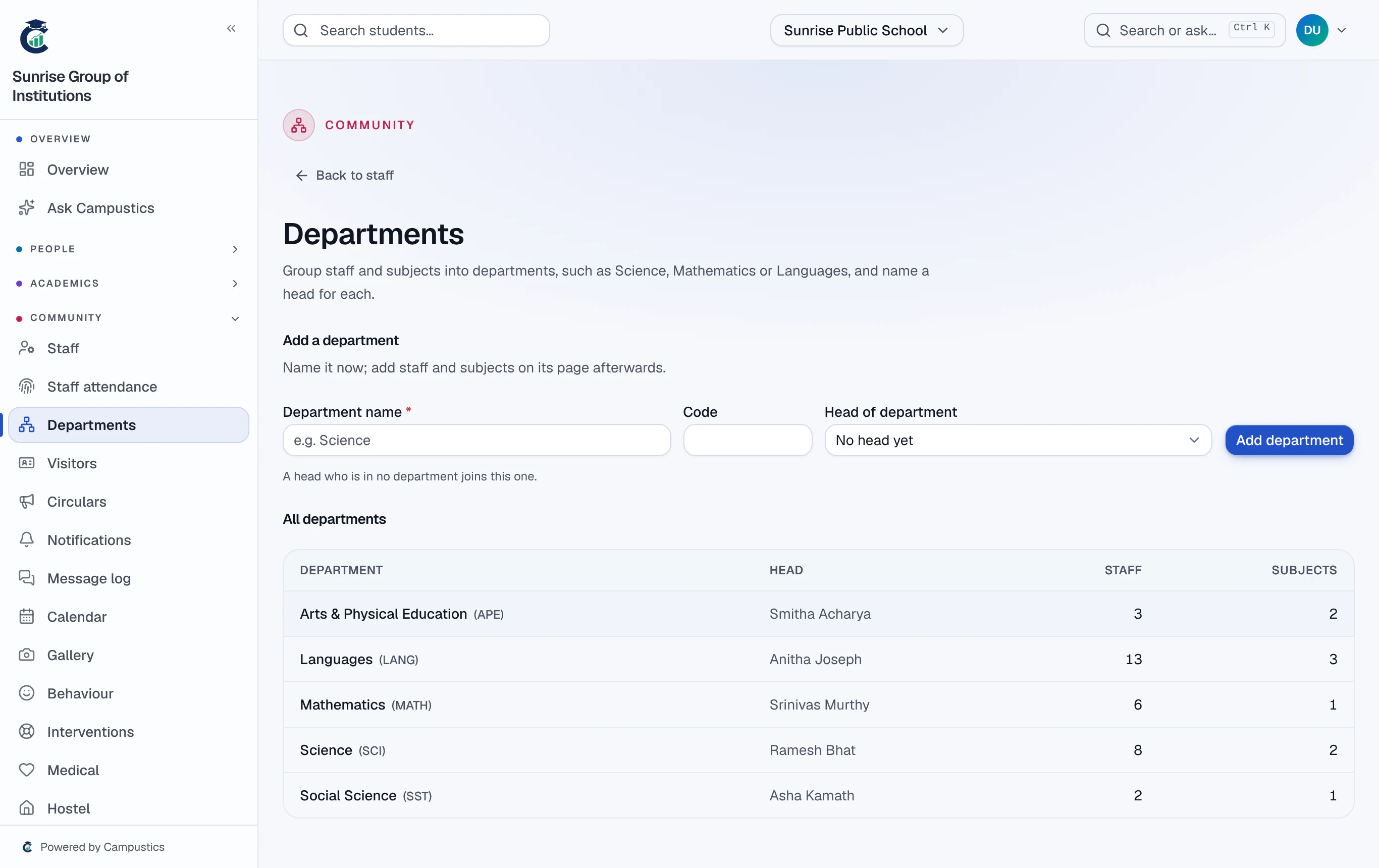
Go to Staff → Departments. Type a name (a short code is optional) and pick the head of department if you know it. A head who isn't in any department yet joins this one.
- 2
Add its staff
Open the department, tick people under Add staff, and press Add selected. Someone already in another department moves here — the list shows where each person is now.
You can also pick a department on a staff member's Edit page, or when adding new staff.
- 3
Add its subjects
Tick subjects under Add subjects — Physics, Chemistry and Biology under Science, for example.
- 4
Find people by department
The Staff list now has a Department column and a filter, including Not in a department to catch anyone left out.
Deleting a department keeps its people and subjects — they are simply no longer in a department.