

Admin
Staff attendance and biometric devices
- 1
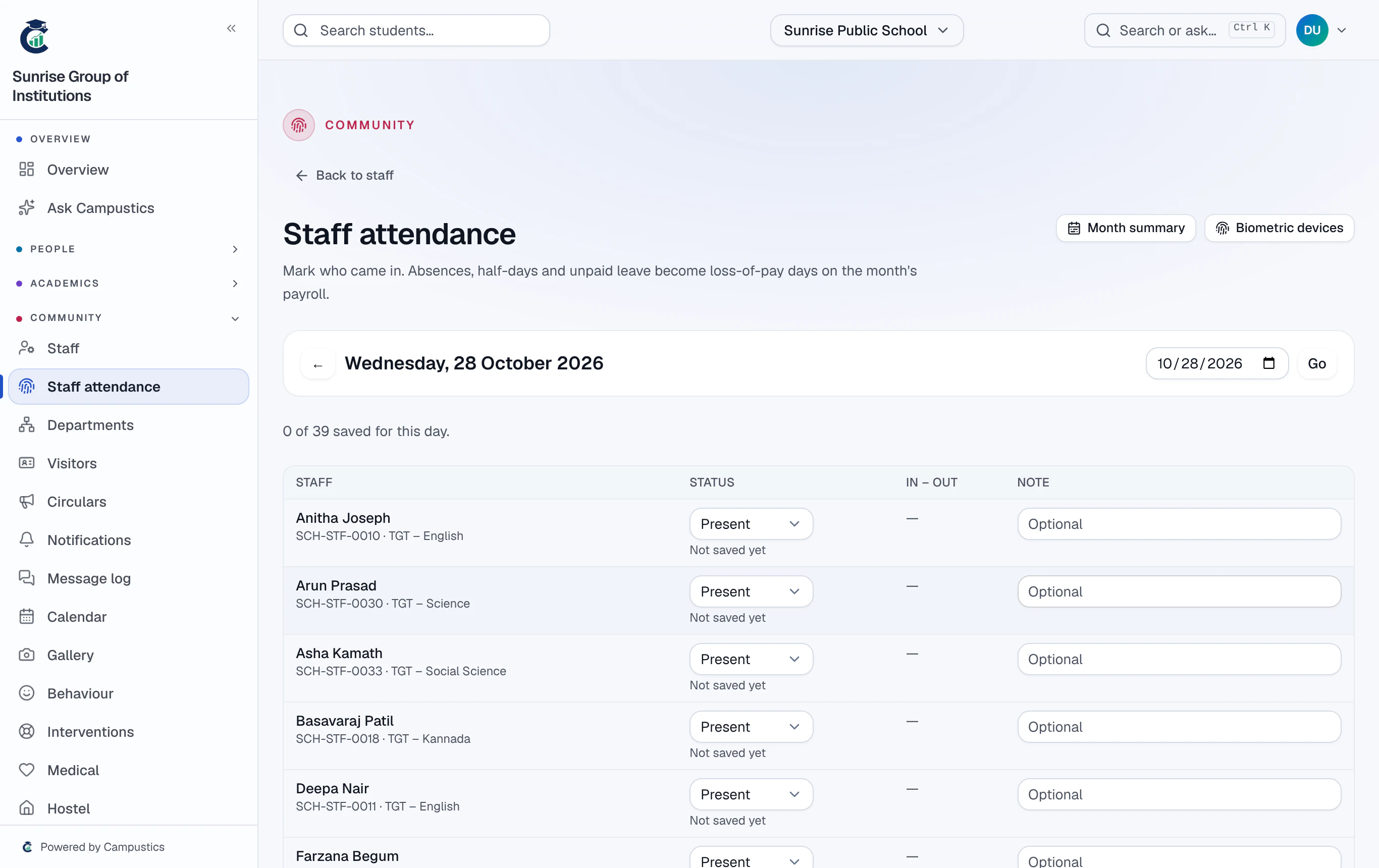
Mark the register
Go to Staff → Attendance. Everyone starts as Present (or On leave when approved leave covers the day), so a normal day is one click on Save attendance. Change anyone to Absent, Half day, On leave or Holiday first.
- 2
Connect a biometric device
Staff → Attendance → Biometric devices → Add device gives a key, shown once. Paste it into the device's (or its sync tool's) settings with the address shown. Each swipe marks the person present; the first and last swipe are check-in and check-out.
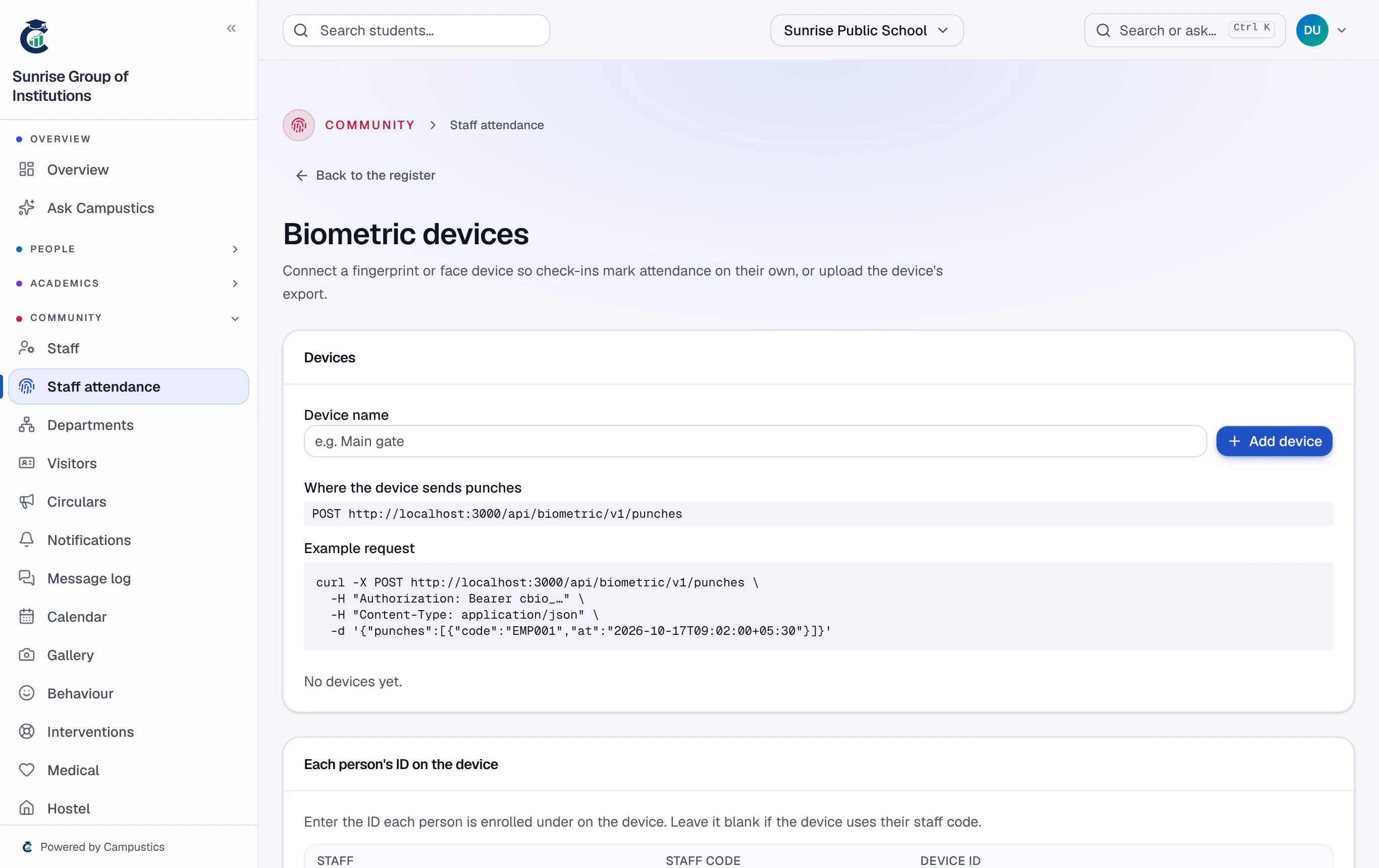
A device that can't send by itself? Upload its punch export as a CSV — uploading the same file twice adds nothing twice.
- 3
See the month
Staff → Attendance → Month summary shows present, absent, half days, leave and loss-of-pay days for each person.
- 4
Loss of pay in payroll
Run payroll deducts loss of pay — absences, half of each half day, and unpaid leave — at gross pay ÷ days in the month. Days nobody marked are never deducted.
Marked attendance after running payroll? Press Update from attendance on Payroll: draft payslips are recalculated; approved and paid ones never change.