

Anyone
Sign in for the first time
- 1
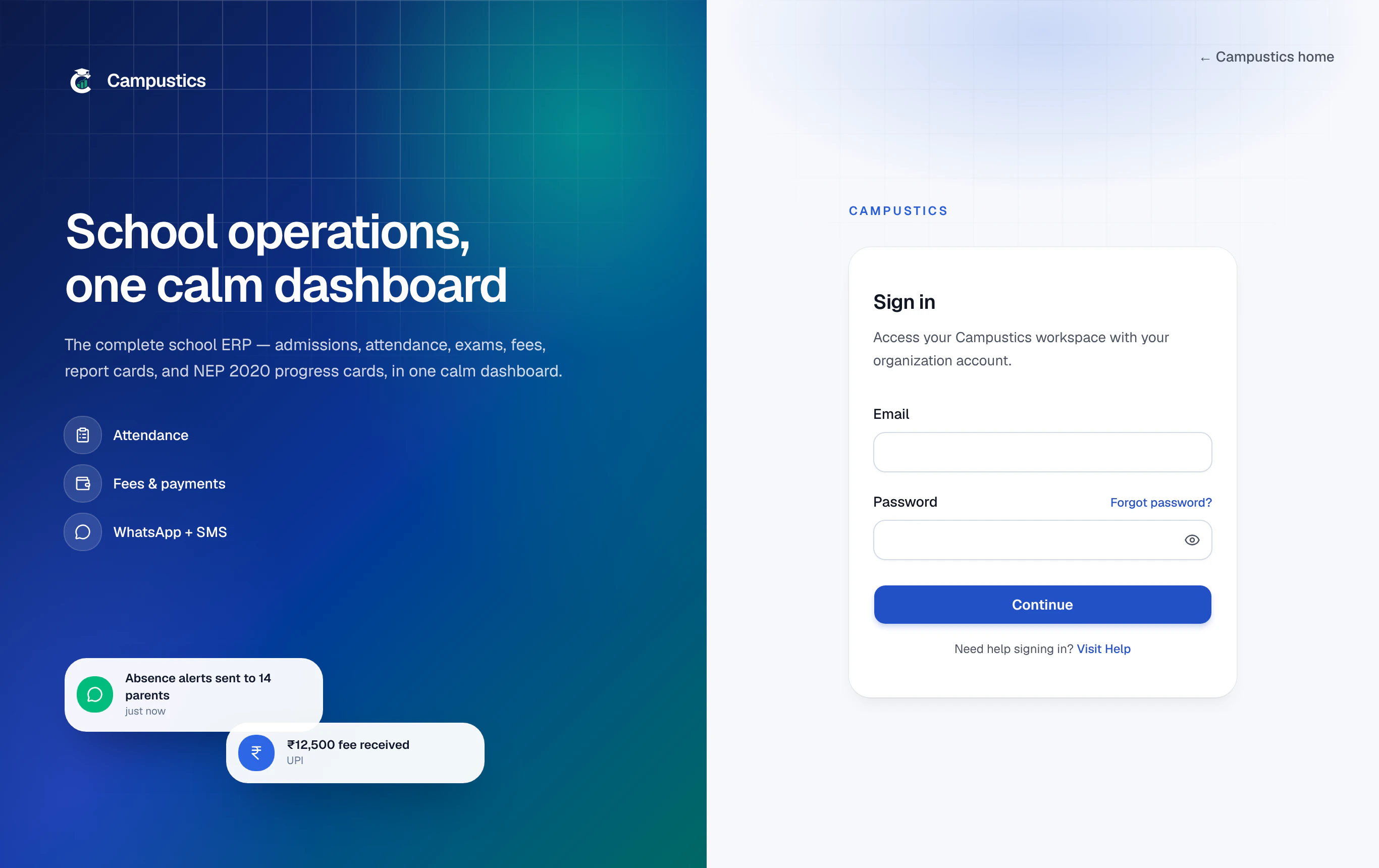
Open your school's sign-in page
Open the URL your school shared (for example yourschool.campustics.com) in Chrome, Edge, or Safari.
- 2
Use your invitation link, or your temporary password
Open the link in your welcome email and choose a password, then sign in with it. No email? Type the email and temporary password your school gave you, then press Continue. A temporary password stops working after 14 days.
If the field turns red but your details are correct, it's usually a stray space — retype the password.
- 3
Set your own password
Signed in with a temporary password? You're taken straight to your account page to choose your own — nothing else opens until you do. Use at least 12 characters with a number.
- 4
You land on your dashboard
Admins land on the main dashboard; parents, teachers, and students each land on their own portal.
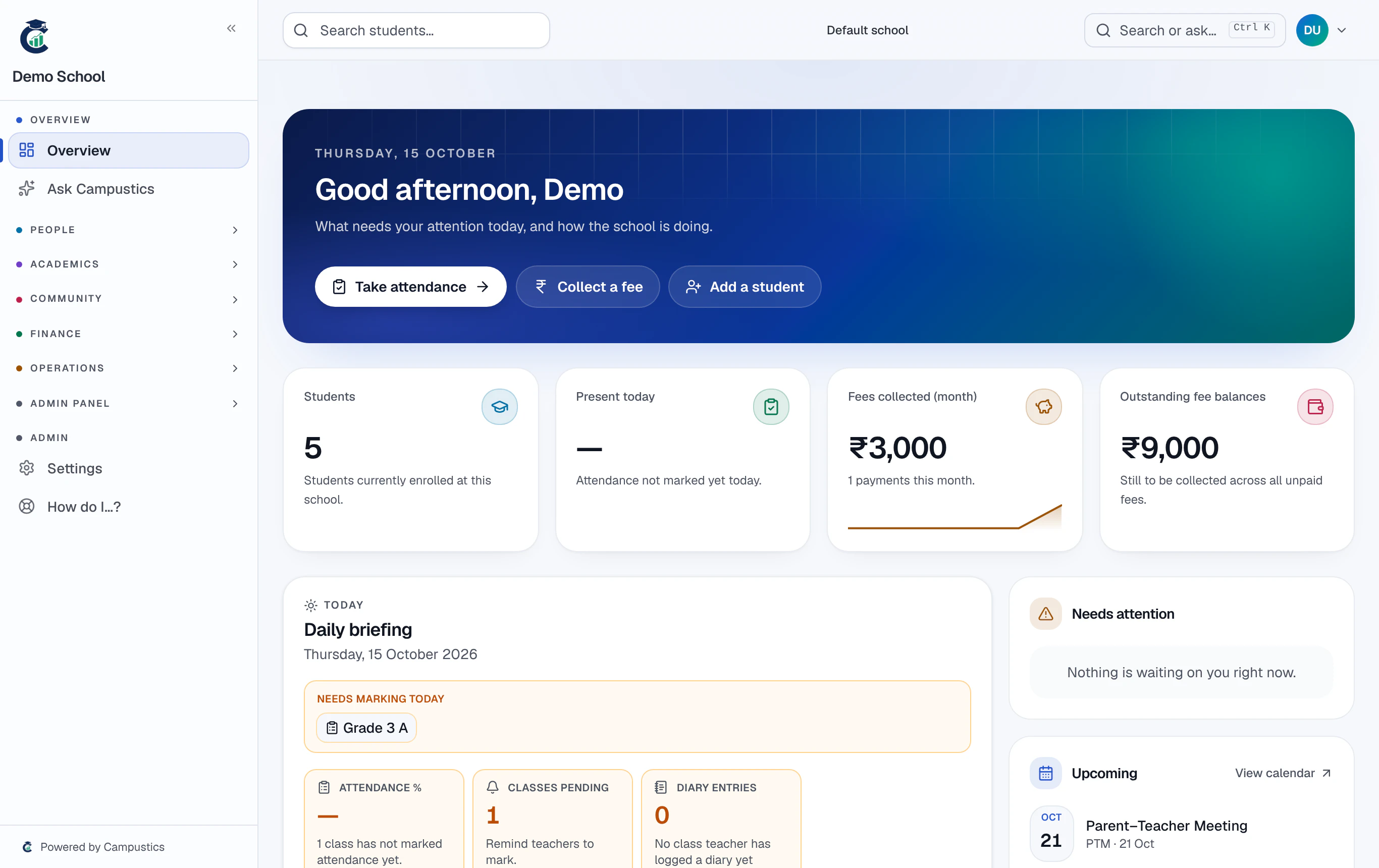
The first time you sign in, a 2-minute interactive tour points out the sidebar and key widgets. It only runs once.