

Admin
Set roles and permissions
Use the five built-in roles, or create a custom role with exactly the access you want.
4 min
- 1
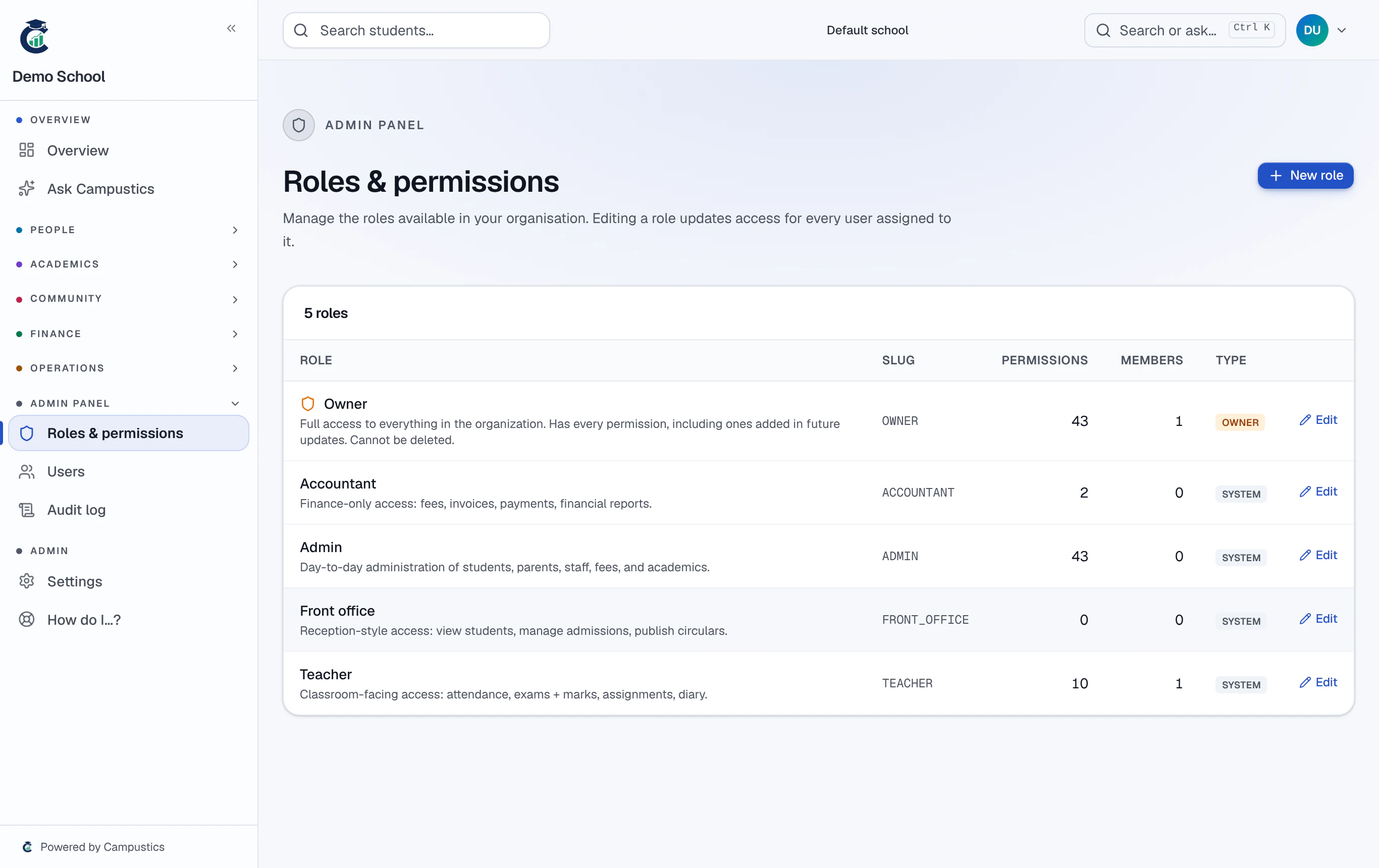
Know the built-in roles
Campustics ships with Owner, Admin, Teacher, Accountant, and Front office. For most schools these defaults are enough.
- 2
Create a custom role (optional)
Go to Admin → Roles & permissions → New role. Tick the permissions per module (Students, Exams, Fees…); use 'Select all' for a full module. Save.
Examples: a 'Vice Principal' = Admin plus report-card generation; an 'Auditor' = read-only across the school.
- 3
Assign the role
Open a staff member (or Admin → Users) and set their role. It takes effect on their next sign-in.