

Teacher
Record daily attendance
Mark a class present or absent for the day — parents of absent students are alerted by SMS.
2 min
- 1
Open Attendance
Go to Attendance and pick the year, grade, section, and date. The date defaults to today.
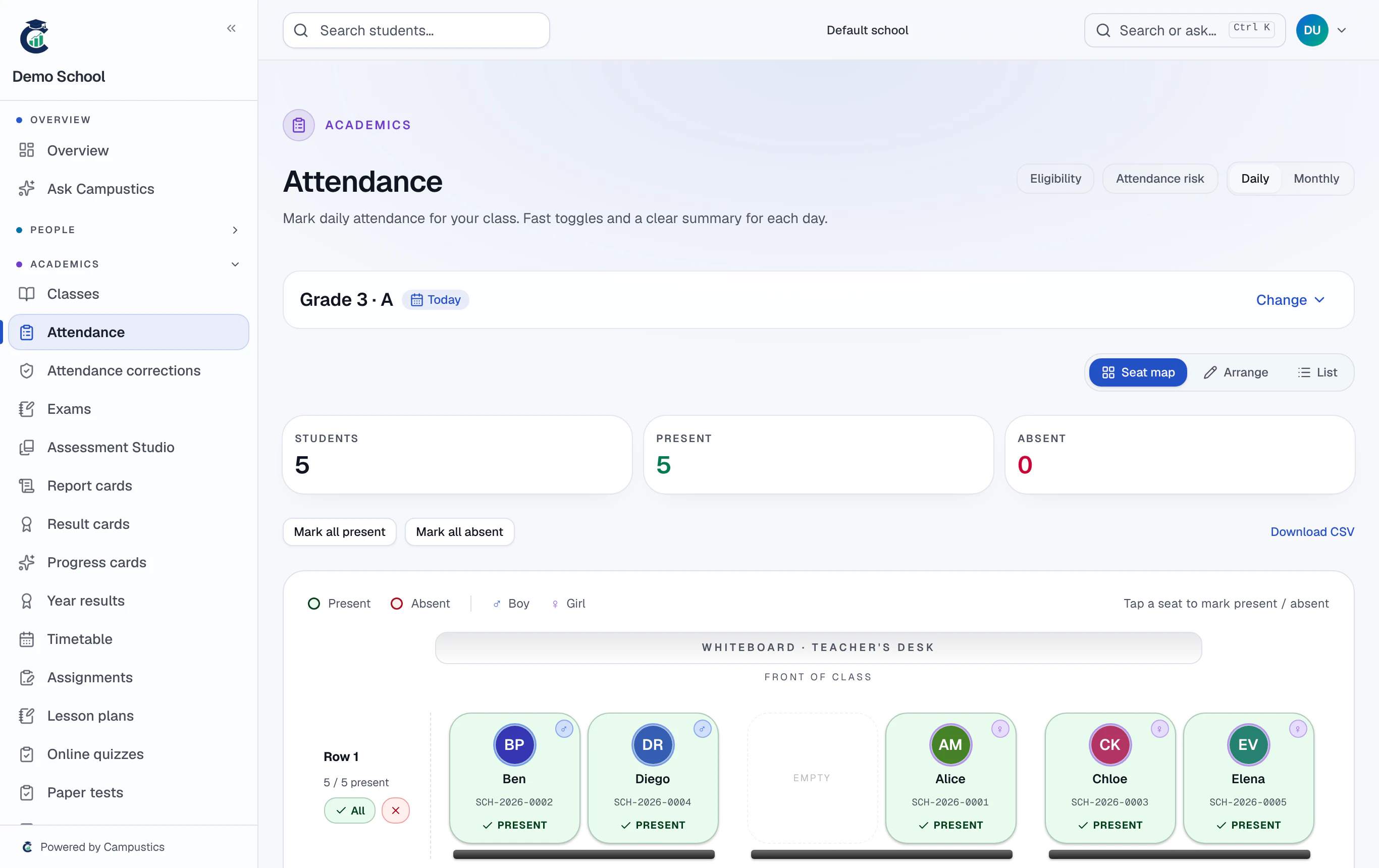
Class teachers only see their own sections in the pickers; admins see every class.
- 2
Mark the class
Tap a name to mark that student absent. For a routine day, use 'All present' and then flag the few who are out.
- 3
Save
Press Save. An SMS goes to the parents of absent students (once SMS is switched on for your school).
To edit a past day, a class teacher submits a correction request that an admin approves under Attendance → Corrections. Admins can edit past days directly.