

Admin
Accept online payments
Connect your school's own Razorpay keys so parents can pay fees online.
4 min
- 1
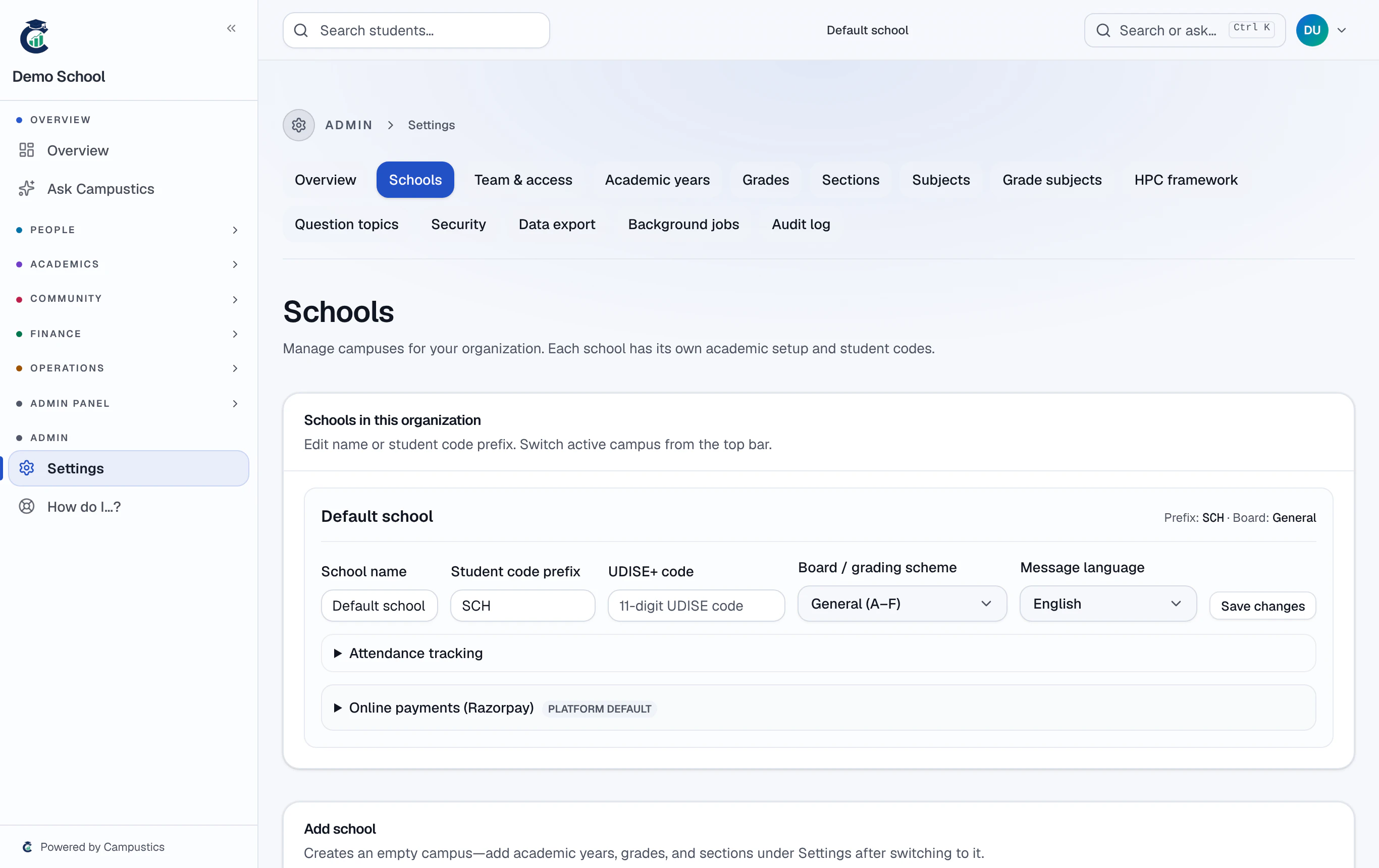
Open online payments
Go to Settings → Schools → [your school] → Online payments.
- 2
Connect your Razorpay keys
Enter your school's own Razorpay key ID and secret so fees settle to your school's bank. They're encrypted before they're saved.
Each campus connects its own account, so money goes to the right bank per school.
- 3
Parents pay from their portal
Once connected, parents see a Pay button on their portal; captured payments record against the fee automatically.